Last updated: October 17, 2026
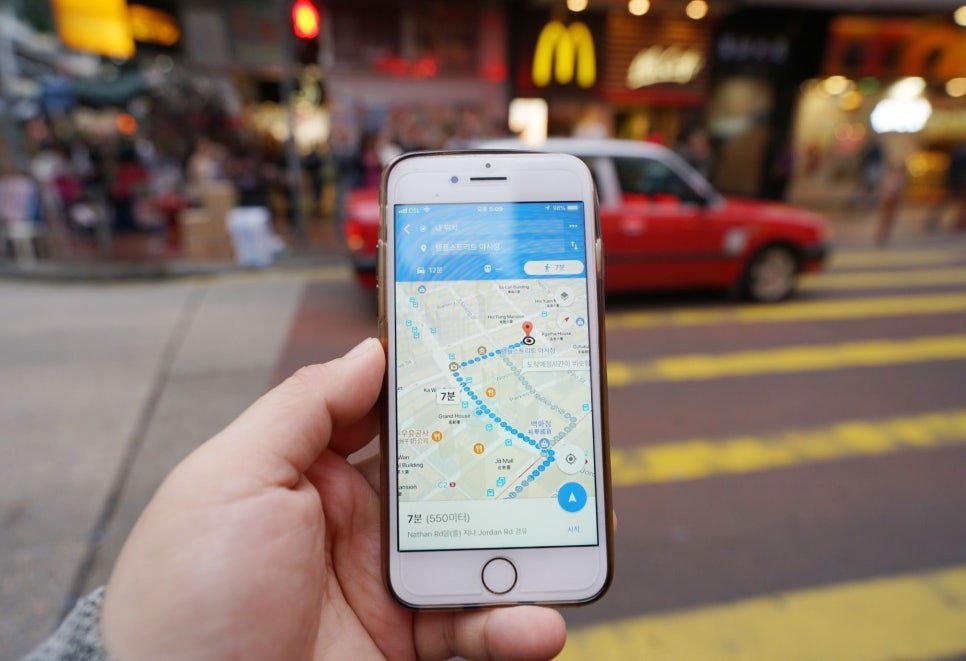
Leave your US carrier’s day pass running for a five-day trip to Seoul, and you’ll pay about $60. A five-day unlimited data eSIM from LG U+, one of Korea’s three major carriers, costs 27,500 won, roughly $20. Same phone, same Naver Map, same late-night cafe searches. One of them costs three times as much.
So what’s the best eSIM for Korea? For most Americans, it’s a data-only eSIM that you install at home before you fly, while your US number stays on your phone for texts and bank codes. The exceptions are travelers who need a Korean phone number, groups sharing one connection, and people whose phones can’t take an eSIM at all.
Korea is a country where your phone is your map, your taxi, your translator, and sometimes your restaurant waitlist. This guide covers how to choose, what it costs, and the Korea-specific details that general eSIM reviews tend to skip.
Quick Answer: The Best eSIM for Korea
- Most travelers: Buy a data-only eSIM before you leave, install it on Wi-Fi at home, and turn it on when you land. You’ll get data on a Korean network for a few dollars a day.
- Need a Korean number? Get a tourist data + voice plan from a Korean carrier. It can receive SMS codes for restaurant and taxi apps, but not for Korean banking or government sites.
- Traveling as a family or group? A pocket Wi-Fi rental can cover several devices from one small router, starting at 4,400 won a day at LG U+.
- US carrier roaming is the simplest option and the most expensive. Verizon and AT&T charge about $12 a day for their international passes.
- Check two things first: your phone must be carrier-unlocked, and it must support eSIM. Some Korean carrier eSIMs don’t work on Google Pixel phones.
- Don’t delete the eSIM mid-trip. Most can’t be reinstalled.
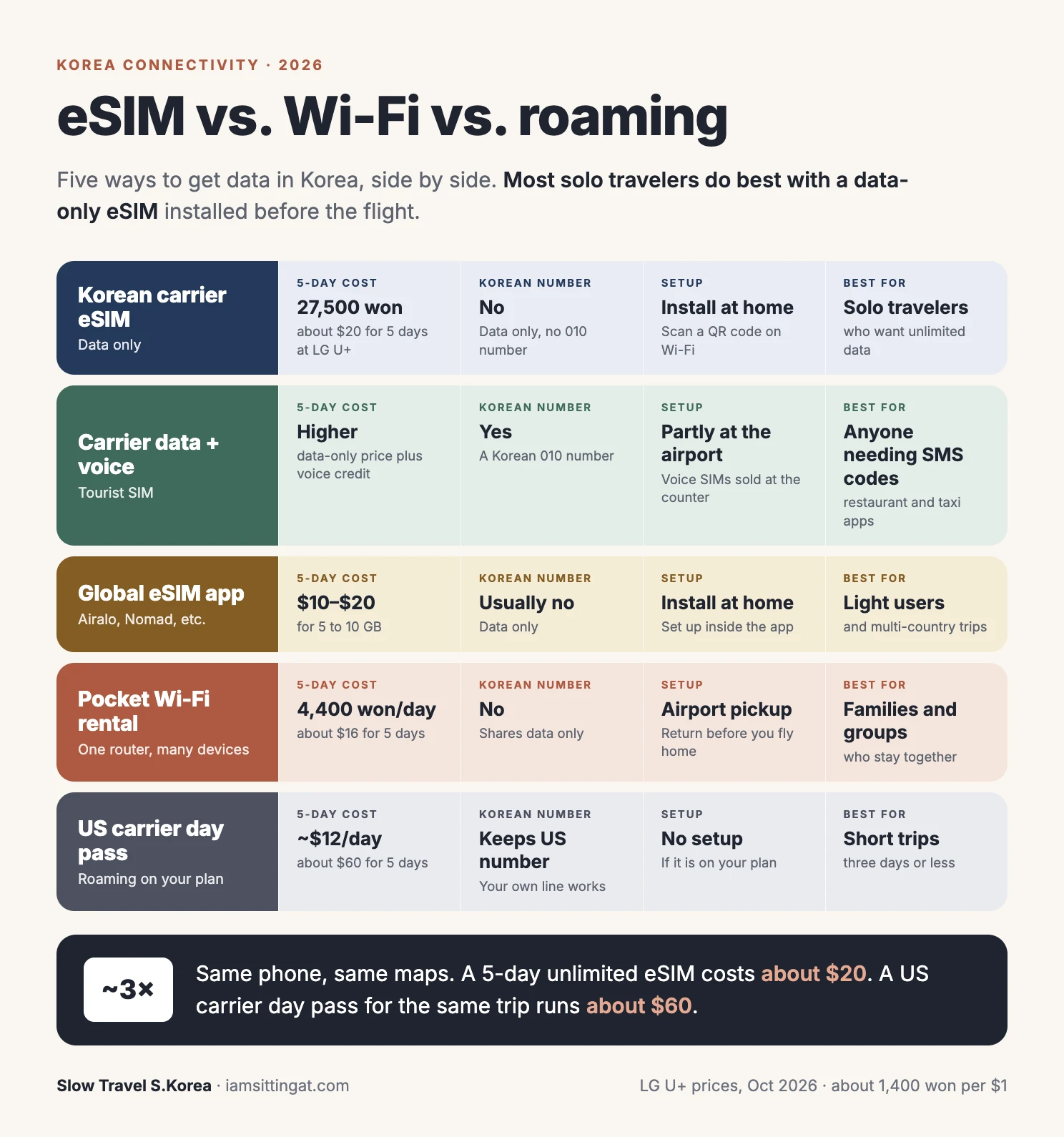
Dollar figures assume about 1,400 won to the dollar.
eSIM, Pocket Wi-Fi, or Roaming: How Each One Works
An eSIM is a digital SIM card. You buy a plan online, scan a QR code (or tap a button in an app), and a second line appears in your phone’s settings. Your US SIM stays put. You choose which line handles data, and in Korea you point data to the eSIM.
A pocket Wi-Fi is a small battery-powered router you rent. Koreans sometimes call it a Wi-Fi egg (에그), after an older model’s shape. It connects to a Korean network and broadcasts a Wi-Fi signal that several phones and laptops can share. You pick it up at the airport and return it before you fly home.
US carrier roaming means your phone uses a Korean partner network under your own US plan. With a day pass, you pay a flat fee for each day you use it, and your phone works more or less like it does at home.
The Best eSIM for Korea: Korean Carriers vs. Global eSIM Apps
You can buy a Korea eSIM from two kinds of sellers.
Korean carrier eSIMs (SK Telecom, KT, LG U+)
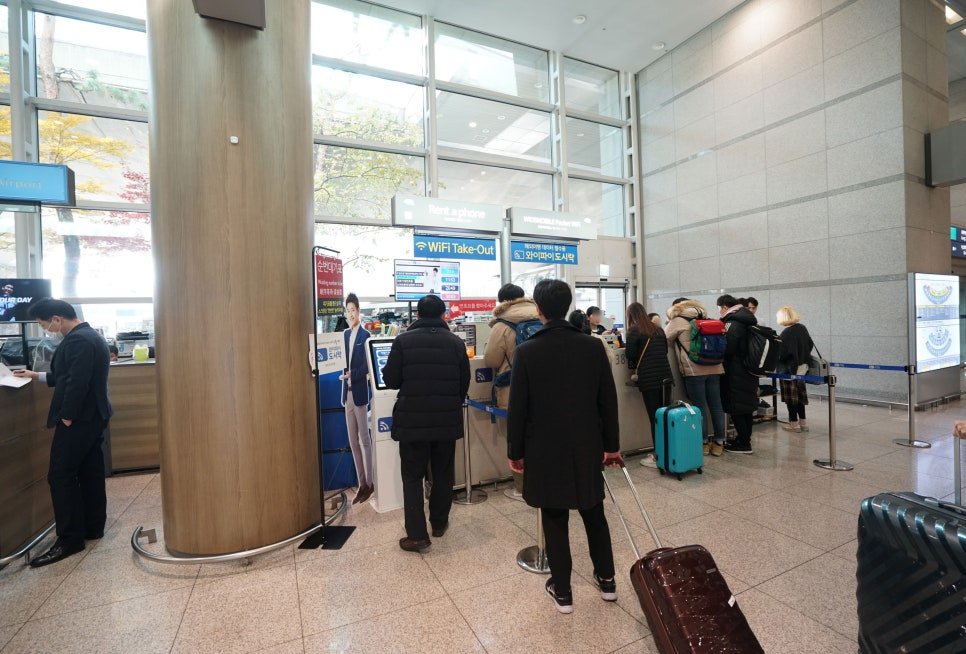
All three Korean carriers sell prepaid eSIMs to visitors on their own English-language sites. You’re buying directly from the network you’ll be using, and most of their tourist plans are unlimited data for a set number of days.
LG U+ publishes its prices clearly, so here’s what its data-only eSIM costs as of October 2026:
| LG U+ data eSIM | Price | About |
|---|---|---|
| 1 day | 6,500 won | $4.60 |
| 2 days | 12,000 won | $8.60 |
| 3 days | 18,000 won | $12.90 |
| 4 days | 23,000 won | $16.40 |
| 5 days | 27,500 won | $19.60 |
Longer plans are listed on the LG U+ site. A few details from its terms that are worth knowing:
- The clock starts at first use, not at purchase. Buy a 5-day plan on January 1, start using data at 10 a.m. on January 4, and it runs until 10 a.m. on January 9.
- You have 60 days after paying to start using it.
- Hotspot works, so you can share data with a laptop or a travel partner’s phone.
- No refunds after payment, and no reissue if you delete the eSIM.
SK Telecom and KT sell similar unlimited plans, and the prices are in the same range. All three cover Seoul, Busan, the KTX lines, and Jeju well. In everyday travel, you’re unlikely to notice a difference between them.
Global eSIM apps
Companies like Airalo, Holafly, Nomad, and Saily sell Korea plans through their own apps, running on SK Telecom or KT networks. [AFFILIATE: global travel eSIM for Korea]
- Pros: Easy checkout in English, one app you can reuse in Japan or elsewhere, and data packs as small as 1 GB for light users.
- Cons: Most plans are data-only. Some advertise “unlimited” but slow you down after a daily cap. Prices change often, so compare per day, not per GB.
My rule of thumb: If you’ll use maps, messaging, and some social media, a 5 to 10 GB plan from a global app is usually enough for a week. If you stream video, upload a lot of photos, or work from your laptop on a hotspot, an unlimited plan from a Korean carrier is usually better value.
Do You Need a Korean Phone Number?
This is the part most “best eSIM” lists skip, and it’s the most Korean part of the whole decision.
Korea runs on phone numbers. Popular restaurants put you on a waitlist by asking for your number on a tablet at the door, then text you when your table is ready. Taxi apps, delivery apps, and ticketing sites often want a code sent to a Korean number before you can sign up.
Here’s the catch: a tourist number only gets you part of the way. LG U+ says plainly that its voice-enabled tourist plans can receive SMS codes for restaurant and taxi app sign-ups, but can’t be used for the identity verification that Korean banks and government services require. Data-only plans can’t receive those SMS codes at all.
| What you want to do | Data-only eSIM | Tourist data + voice plan |
|---|---|---|
| Maps, KakaoTalk, WhatsApp, browsing | Yes | Yes |
| Get texted when your restaurant table is ready | No | Yes |
| Sign up for apps that send a Korean SMS code | No | Usually yes |
| Korean bank or government identity checks | No | No |
| Call a Korean restaurant or guesthouse | Through apps only | Yes, at a per-minute rate |
Who should get a Korean number: people staying longer than a week, food-focused travelers who want to join waitlists at popular spots, and anyone planning to use Korean apps heavily.
Who doesn’t need one: most first-time visitors on a one- or two-week trip. You can ask restaurant staff to add you to the list in person, hail taxis on the street, and use KakaoTalk or WhatsApp for messages.
A few details on voice plans:
- At LG U+, voice-enabled SIMs are sold at the airport counter only, and you can’t add voice to a data-only eSIM after buying it. Decide before you buy.
- Domestic calls on LG U+ prepaid lines cost 264 won a minute, and texts are 55 won each.
- Korea began requiring face verification for most new phone lines in July 2026. The government has said it will tighten ID checks for lines opened in foreigners’ names in the second half of 2026.
Korea eSIM vs. Pocket Wi-Fi: Which Is Better?
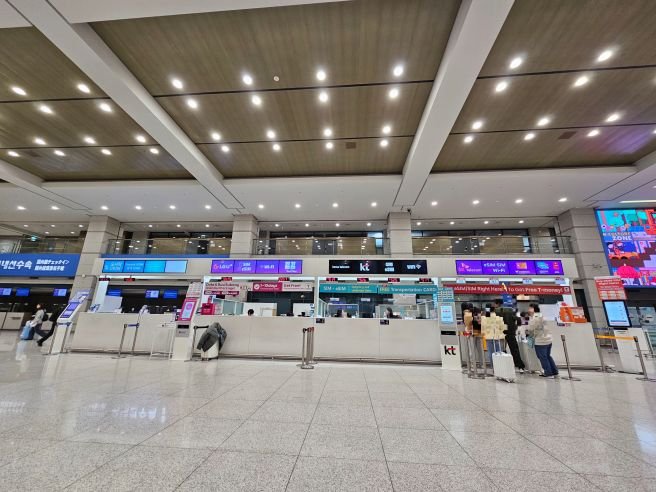
For a solo traveler, an eSIM wins almost every time. Pocket Wi-Fi makes more sense when you’re sharing.
| eSIM | Pocket Wi-Fi | |
|---|---|---|
| Price | Per person | One device can cover a group |
| Devices | One phone (plus hotspot) | Up to 10 at LG U+ |
| Daily data | Often unlimited | LG U+: 4 GB a day, then 5 Mbps |
| Pickup | None | Airport counter after landing |
| Return | None | Before you fly home, or you keep paying |
| Battery | Your phone’s | A second device to charge every night |
| If you get separated | Everyone still has data | Only the person holding it does |
Using LG U+ as the example, a pocket Wi-Fi costs 4,400 won a day. When you pick it up, the counter runs a 1,111-won authorization on a credit card in your own name (not actually charged), or takes a 70,000-won deposit on a debit card that’s refunded when you return the device. You can pick up and return at Incheon, Gimpo, or Gimhae airports, and a portable battery is included.
For a family of four on a seven-day trip, one pocket Wi-Fi at 30,800 won (about $22) beats four separate eSIMs. The trade-off is that the family has to stay together, and someone has to remember to charge it.
What About Your US Carrier?
US carriers have made roaming much easier than it used to be. It’s still the priciest option for most trips.
| Carrier | What you get | Cost |
|---|---|---|
| Verizon TravelPass | Your plan’s talk, text, and data abroad; 5 GB of high-speed data per day | About $12 a day |
| AT&T International Day Pass | Your plan’s talk, text, and data abroad | About $12 a day for the first line, $6 for each additional line, up to 10 charged days per bill cycle |
| T-Mobile | Many plans include some international data; premium plans include more high-speed data | Depends on your plan; passes are available |
Roaming makes sense if your trip is three days or less, if work requires you to stay reachable on your US number with no setup, or if your phone is carrier-locked. For a slow trip of a week or more, the math rarely works out.
One thing to check before you fly: if you don’t plan to use roaming, make sure your US line won’t quietly start a day pass. On some plans, a single data session or outgoing call abroad triggers the daily charge. Turn off data roaming on your US line before you land.
Before You Buy: Check Your Phone
Two quick checks save most of the trouble.
1. Is your phone unlocked? Many US phones bought on a monthly installment plan are locked to the carrier until they’re paid off. A locked phone won’t accept another carrier’s eSIM.
- iPhone: Settings > General > About > Carrier Lock. It should say “No SIM restrictions.”
- Android: Settings menus vary by brand. The easiest way is to ask your carrier.
2. Does it support eSIM? Dial *#06#. If you see an EID number, your phone supports eSIM.
A note for Pixel owners: LG U+ says its tourist eSIMs don’t work on Google Pixel, Motorola, or OPPO phones. Global eSIM apps generally do support Pixel. If you have a Pixel, check compatibility with the specific seller before you buy.
And a note for iPhone owners: US iPhone models from the iPhone 14 onward have no physical SIM slot. A physical tourist SIM from the airport isn’t an option for them. It’s eSIM, pocket Wi-Fi, or roaming.
How to Set Up a Korea eSIM, Step by Step
- Buy the plan a few days before you leave. Check how the validity works. Most Korean carrier plans start counting at first use, but some sellers start the clock at installation.
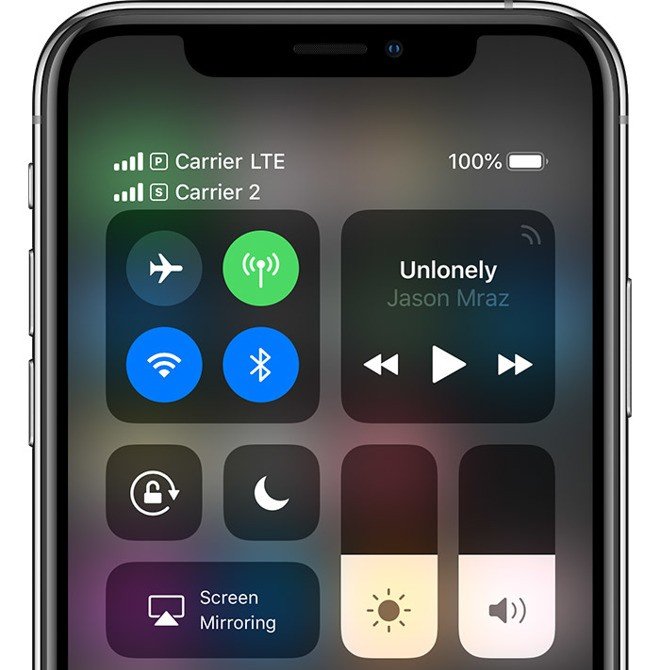
- Install it at home on Wi-Fi. On an iPhone, go to Settings > Cellular > Add eSIM, then scan the QR code. On Samsung phones, look under Settings > Connections > SIM manager. Installing needs an internet connection, which is one more reason not to wait until you land.
- Label the lines. Name them “US” and “Korea” so you don’t mix them up later.
- Before landing, switch data to the Korea line. Set it as your cellular data line, turn on data roaming for the Korea eSIM (it counts as roaming because it was installed abroad), and turn off data roaming on your US line.
- Keep your US line on for calls and texts if you want to receive bank codes and messages from home. Check your carrier’s rates for incoming texts and calls abroad.
- When you land, give it a minute. If data doesn’t connect, restart your phone. If that doesn’t work, check that data roaming is on for the Korea line.
Once you’re connected, the apps that make Korea easy are the next step: Korea Travel Apps for Foreigners.
Reality Check: What Can Go Wrong
- Deleting the eSIM is usually final. Most Korean carrier eSIMs can’t be reinstalled or refunded once they’ve been removed. If something isn’t working, contact support before you touch the delete button.
- “Unlimited” doesn’t always mean full speed. Some plans slow down after a daily cap, and even true unlimited plans may be throttled for unusually heavy traffic. Read the fine print for the number after “then.”
- A tourist number isn’t a Korean identity. It handles SMS codes for many apps, not banking or government verification. Some Korean apps will still refuse a foreign-registered line.
- Pocket Wi-Fi rentals run until you return them. If you forget and fly home with it, you keep paying, and a lost device comes with a fee.
- eSIMs are tied to one phone. You can’t move an installed eSIM to another phone if yours breaks or gets lost. [AFFILIATE: travel insurance for Korea]
- Two lines drain your battery faster. Pack a small portable battery, especially in winter. See Seoul in December guide.
- Scam sites copy carrier branding. Buy from the carrier’s official site or a seller you recognize.
My Pre-Flight Connectivity Checklist
- Confirm your phone is carrier-unlocked
- Dial *#06# and confirm you see an EID
- Decide: data only, or data + Korean number?
- Buy your eSIM or reserve a pocket Wi-Fi: [AFFILIATE: Korea eSIM]
- Install the eSIM at home on Wi-Fi
- Turn off data roaming on your US line before landing
- Pack a portable battery
- File your arrival paperwork: K-ETA and e-Arrival Card guide
- Sort out how you’ll pay: See Best Credit Card to Use in South Korea.
FAQ
What is the best eSIM for Korea?
For most Americans, a data-only eSIM installed before the trip. Korean carrier plans from SK Telecom, KT, and LG U+ offer unlimited data for a few dollars a day, and global eSIM apps are good for lighter users. If you need a Korean number for SMS codes, choose a tourist data + voice plan instead.
Is an eSIM or pocket Wi-Fi better in Korea?
An eSIM is better for solo travelers and couples who might split up during the day. A pocket Wi-Fi is better for families and groups who stay together, since one device can connect several phones and laptops.
Can I keep my US number while using a Korea eSIM?
Yes, if your phone supports two lines. Keep your US SIM on for calls and texts, set the Korea eSIM as your data line, and turn off data roaming on the US line.
Does a Korea tourist eSIM come with a phone number?
Data-only plans don’t. Tourist data + voice plans from Korean carriers come with a Korean 010 number that can receive SMS codes for many apps, but not for Korean banking or government identity checks.
Will my Google Pixel work with a Korea eSIM?
It depends on the seller. LG U+ says its tourist eSIMs don’t support Pixel phones. Many global eSIM apps do. Check the compatibility list before you buy.
The Bottom Line
The best eSIM for Korea isn’t a brand. It’s the plan that matches how you’ll use your phone. Most travelers should install a data-only eSIM at home and keep their US number for texts. Get a Korean number if you’re staying a while or planning to wait in line for the city’s most popular tables. Rent a pocket Wi-Fi if you’re traveling as a family. Leave roaming for very short trips. Sort it out before you board, and you’ll land in Korea with your map already working.