
Planning your dream trip to South Korea? While packing your bags is exciting, preparing your smartphone is just as important. If you’re looking for the right Korea travel apps for foreigners, you’re already ahead of most first-time visitors — because the apps you already have on your phone won’t get you very far in Seoul.

Many travelers arrive expecting their usual go-to apps to work seamlessly, only to discover that Google Maps gives them almost nothing useful, and generic translation tools miss crucial local nuance. Below is an updated, practical rundown of the best apps for a South Korea trip in 2026 — what to download, why you need it, and how to set it up before you even board the plane.
Why Your Usual Apps Don’t Work in Korea

For nearly two decades, South Korea has restricted the export of detailed map data on national security grounds tied to the unresolved armistice with North Korea, which is why Google Maps has historically been unable to offer walking directions, driving routes, or live transit data inside the country.
That’s actually changing. In February 2026, South Korea’s government approved Google’s request to export 1:5,000-scale map data overseas under strict security conditions, a decision reported by the Korea Herald as the end of a 19-year dispute. However, implementation has been slow: as of a couple of months later, negotiations between Google and the Korean government had stalled, with the two sides still divided on how the exported data will be stored and processed. In short — a fully functional Google Maps for Korea is coming, but it isn’t reliable yet, so it’s still worth setting up the local alternatives below before your flight.
1. Navigation: Naver Map and KakaoMap
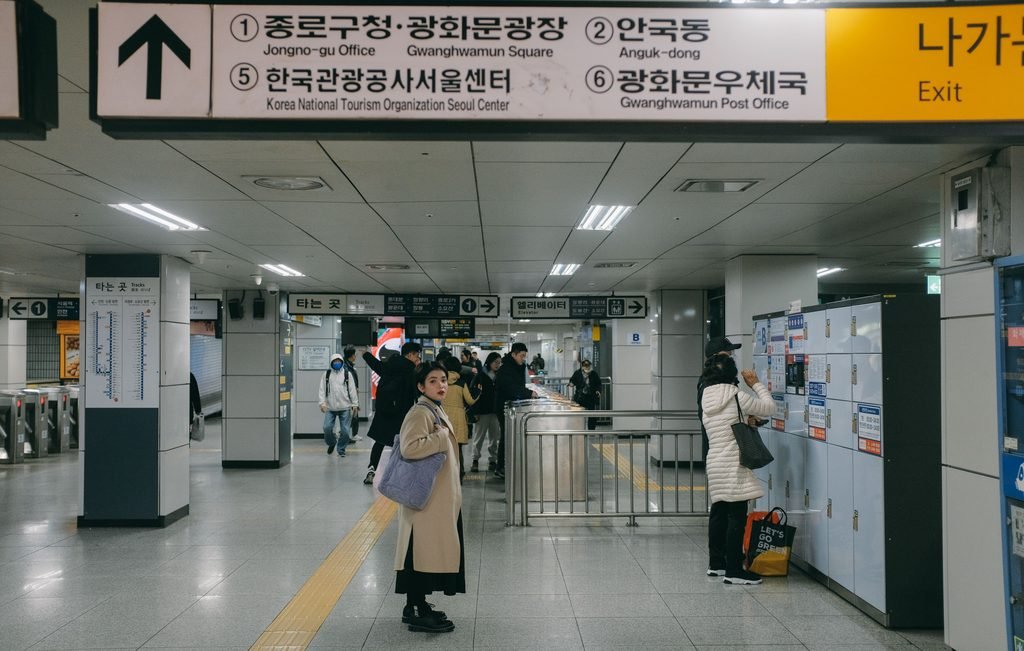
Until Google Maps catches up, the two homegrown apps — Naver Map and KakaoMap — remain the most important Korea travel apps for foreigners, and for now they’re still the tools locals themselves use every day.
Why Naver Map Is a Must-Have
- Precise transit and walking routes — real-time bus and subway arrivals, exact subway exit numbers, and turn-by-turn walking directions that Google Maps simply can’t match in Korea.
- Full English interface — also available in Simplified Chinese and Japanese.
- Save and organize — bookmark cafes, restaurants, and sights into custom lists for your itinerary.
Setup tip: Download Naver Map before your trip and switch the language to English (Settings > Language > English). When searching, try the English name first; if a niche restaurant doesn’t come up, paste the Korean name or address from Instagram directly into the search bar.
Alternative: KakaoMap is just as capable and is favored by many long-term expats, though Naver Map tends to return slightly better English results for tourist-facing spots.
2. Translation: Papago

While Google Translate has closed the gap in recent years, Papago, developed by Naver, is still widely considered the strongest tool for Korean-English translation because it handles honorifics, slang, and context more naturally.
- Camera translation — point your phone at menus, street signs, or kiosk screens for instant overlay translation.
- Voice translation — hold a real-time bilingual conversation with a taxi driver or shopkeeper.
- Honorific toggle — switch between formal and casual phrasing depending on who you’re talking to.
If you’re comparing dedicated translation tools against a general-purpose app when picking your Korea travel apps for foreigners, Papago is worth the extra download purely for how it handles Korean menus and signage.
3. Getting Around: T-Money, the Climate Card, and Taxi Apps
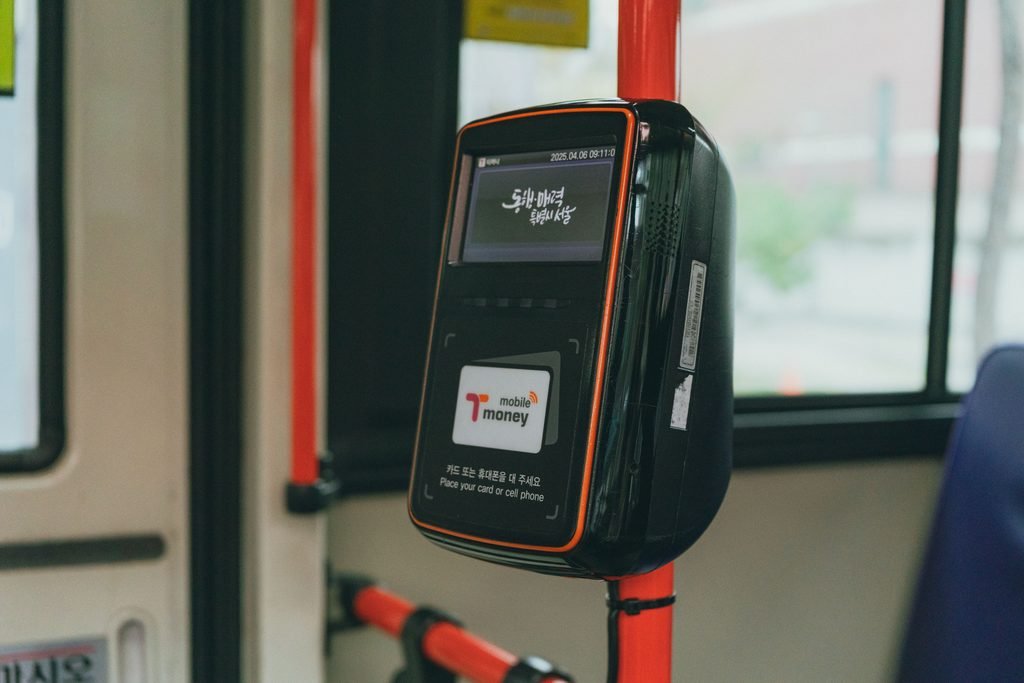
Korea’s public transit is excellent, but getting the payment method right matters — and this is one area that has genuinely changed for 2026.
T-Money vs. the Climate Card
- T-Money Card — the classic reloadable transit card, accepted on buses, subways, and at convenience stores nationwide (GS25, CU, 7-Eleven), and also available at the airport.
- Climate Card (Seoul only) — if you’re spending 3–5 days mostly around Seoul, the short-term Climate Card Tourist Pass is usually the better deal. As of 2026, tourist passes run from one to seven days, covering Seoul’s subways and buses, though the card cannot be used to board the AREX line at Incheon Airport and several regional transit services are excluded. Prices have stayed unchanged since launch at roughly 5,000 to 15,000 KRW for one to five days, and one useful update for 2026 travelers is that short-term passes can now be purchased directly with an international credit card, which wasn’t always the case at launch.
One detail worth planning around: physical Climate Cards are typically loaded at subway station kiosks rather than convenience stores, so budget a few extra minutes on arrival day.
Taxis: Kakao T and k.ride

Hailing a taxi on the street can be difficult for visitors, especially late at night in busy areas like Hongdae or Gangnam, which makes a ride-hailing app one of the more essential best apps for a South Korea trip.
- Kakao T is the app almost every driver in Korea uses, giving it by far the largest pool of available cars. Payment used to be the sticking point for tourists, but that’s improved: Kakao T now offers a dedicated Non-Korean Credit Card option in payment settings, and if your card doesn’t go through, the reliable fallback is still Pay Driver Direct, where you book through the app and simply pay the driver in cash or by card on arrival.
- k.ride is Kakao Mobility’s newer app built specifically for international visitors — it runs in English, Japanese, and Chinese, lets you sign up with a Google or Apple account instead of requiring KakaoTalk, and accepts foreign-issued Visa, Mastercard, JCB, and UnionPay cards for in-app payment.
4. Staying Connected: eSIM and Pocket Wi-Fi

Having active data the moment you land at Incheon International Airport (ICN) matters for pulling up hotel bookings, loading Naver Map, and checking transit routes.
- eSIM (recommended) — buy your plan online before departure, scan the QR code, and activate it on arrival with no physical SIM swap.
- Pocket Wi-Fi — a good option for groups sharing one connection, though you’ll need to carry a power bank and return the device before your flight home.
Note on phone numbers: most prepaid eSIM plans are data-only. If you plan to make restaurant reservations through waitlist apps or want food delivery, look for a plan that also includes a local +82 number for incoming SMS, since several apps (including the Kakao ecosystem) rely on SMS verification.
5. Dining: CatchTable
Popular restaurants in Seoul, especially in neighborhoods like Seongsu or Itaewon, fill up fast, and many no longer take walk-ins. CatchTable (the global version) handles waitlists and reservations for a large share of these restaurants, and it’s worth having installed before you even land so you can book ahead for your first night.
Quick Reference: Best Apps for a South Korea Trip
| Category | App | Purpose |
|---|---|---|
| Navigation | Naver Map / KakaoMap | Turn-by-turn directions, subway exits, place search |
| Translation | Papago | Menu scanning, real-time voice translation |
| Transit | T-Money / Climate Card | Subway and bus payment |
| Taxi | Kakao T / k.ride | Booking rides with international card support |
| Connectivity | eSIM | Instant mobile data on arrival |
| Dining | CatchTable | Restaurant waitlists and reservations |
Final Thoughts
The single biggest mistake foreign travelers make is assuming their home-country apps will just work in Korea. They mostly won’t — at least not yet, while Google’s expanded map access is still being implemented. Downloading the right Korea travel apps for foreigners before you fly, and spending ten minutes setting each one to English, will remove most of the friction that trips up first-time visitors to Seoul and beyond.
Related posts you might enjoy:
3 thoughts on “Korea Travel Apps for Foreigners: The Best Apps for Your South Korea Trip in 2026”
Comments are closed.